The Best Fingerprint Device for Clocking In | SmartHub by ClockedIn
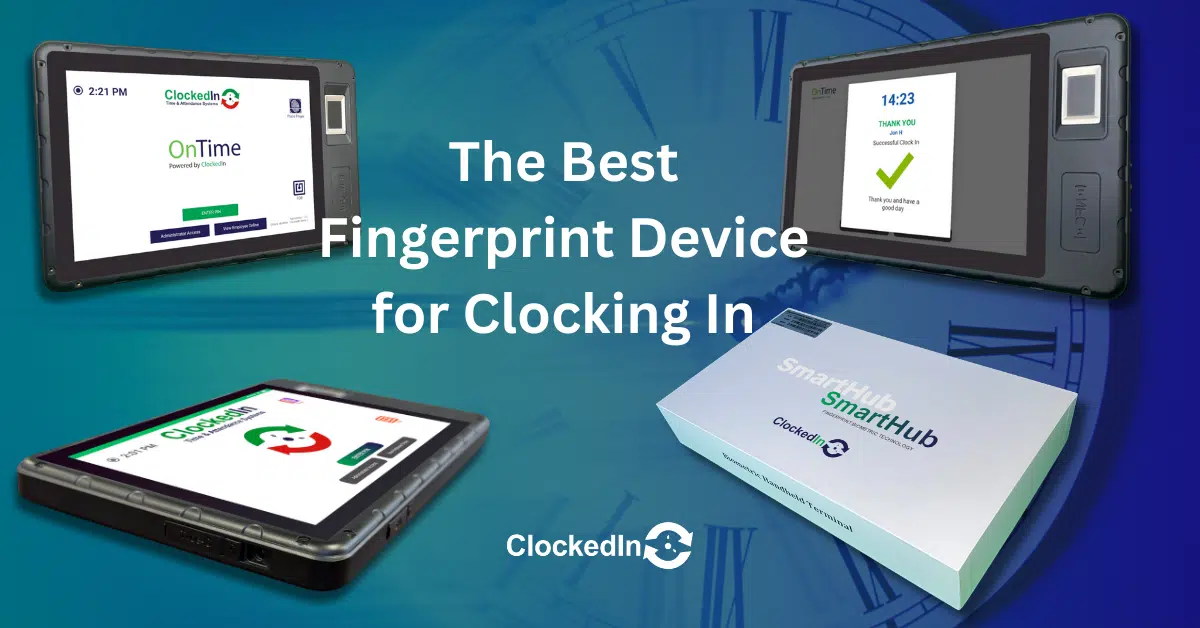
In the quest for efficient and accurate employee time tracking, the SmartHub by ClockedIn emerges as a game-changer. With its advanced features and user-friendly design, this article delves into why the SmartHub is the best fingerprint device for clocking in and why businesses should make that switch.
Table of Contents
How Does the SmartHub Device Work?
The SmartHub by ClockedIn stands at the forefront of modern workplace management, integrating state-of-the-art biometric technology with the latest in software innovation to revolutionise how employees clock in and out. Powered by Android 11, SmartHub offers a seamless and secure method for attendance tracking, pushing the boundaries of security and operational efficiency. It works by capturing employees’ fingerprint data, which is then encrypted using AES 256-bit encryption, ensuring the utmost security of personal data.
This process is underpinned by advanced algorithms that are designed to recognise and verify fingerprints quickly and accurately. Such precision not only bolsters the integrity of time and attendance records but also significantly expedites the clock-in procedure for employees. This efficiency reduces queue times and allows for a smoother start to the workday, addressing and virtually eliminating issues related to buddy punching and time theft.
Key Features of the SmartHub by ClockedIn
The SmartHub stands out in the market due to its robust array of features designed to meet the dynamic needs of modern workplaces. Key features include:
Real-Time Data Syncing: SmartHub offers real-time synchronisation with ClockedIn’s attendance software, ensuring that time records are always up-to-date and accessible.
Advanced Security Protocols: Leveraging biometric data, SmartHub provides a secure method of identification, protecting against unauthorised access and ensuring that employee data is handled with the utmost confidentiality.
User-Friendly Interface: The device boasts a user-friendly interface, making it easy for employees to use and for administrators to manage.
Durability and Reliability: Built to withstand the rigours of everyday use, SmartHub is both durable and reliable, ensuring longevity and consistent performance.
Integration Flexibility: The SmartHub, alongside its custom-designed OnTime App, is seamlessly integrated with the ClockedIn Time & Attendance system, offering a turnkey solution for precise and efficient workforce management. However, for businesses already utilising a different system, the SmartHub provides versatile integration capabilities. Thanks to its open API architecture, it can be connected with existing systems through tailored API development. This ensures that businesses can leverage the advanced features of the SmartHub without the need to overhaul their current attendance or HR management infrastructure, facilitating a smooth and streamlined integration process.
How to Install the SmartHub?
Choosing the SmartHub by ClockedIn for your business’s time tracking needs comes with the added benefit of professional installation by a member of the ClockedIn support team. This service ensures that your device is not only installed correctly but is also optimally positioned for ease of use and security. The installation process includes setting up a custom-made kiosk designed to house the SmartHub device. This kiosk is not just about added security; its design is tailored for high-traffic areas, ensuring durability and accessibility for all employees.
The professional installation process begins with a site visit to determine the best location for the SmartHub kiosk, taking into consideration factors such as employee flow and network access. The ClockedIn team member will then expertly install the device and kiosk, ensuring that everything is fully operational and securely connected to your network. This hands-on approach guarantees that the SmartHub is set up for immediate use, with minimal disruption to your daily operations.
The Advantages of Using The SmartHub
The SmartHub by ClockedIn not only revolutionises time tracking but also significantly enhances workplace security and privacy. Utilising advanced biometric technology, the SmartHub ensures that every clock-in is authenticated, thereby eliminating the possibility of buddy punching and fraudulent time entries. This authentication process respects employee privacy, as biometric data is encrypted and stored securely, accessible only for the purpose of verifying attendance.
Moreover, the physical security of the SmartHub, integrated within a custom-made kiosk, adds an extra layer of protection against tampering or misuse. This setup is particularly beneficial in high-traffic areas, where the device’s security and durability are paramount. The professional installation by ClockedIn’s support team further ensures that the device is optimally positioned and secured, providing businesses with peace of mind regarding both data privacy and the physical safety of the device.
How Does the SmartHub Improve Employee Time Tracking Accuracy?
Accuracy in time tracking is critical for operational efficiency, payroll accuracy, and fair employee management. The SmartHub addresses these challenges head-on by providing precise, real-time attendance data. The device’s ability to quickly and accurately read fingerprints means that clock-in times are recorded the moment an employee checks in or out, significantly reducing the margin for error associated with manual time tracking methods.
This level of accuracy not only streamlines payroll processing but also enhances trust between employers and employees. Workers can rest assured that their work hours are accurately logged, and any overtime or irregular hours worked are properly accounted for. For businesses, this translates into better labour cost management and improved compliance with working hours regulations.
How Secure is the Data on the SmartHub?
In today’s world, where data privacy and security are at the forefront of everyone’s mind, ClockedIn tackles these issues with a solid approach in the SmartHub, integrating AES 256-bit encryption to protect biometric data. It’s like putting your data in a vault that only the right key can open, ensuring employee fingerprint information is kept safe from prying eyes. ClockedIn doesn’t just stop at robust encryption; they’re open about how they handle this data, using it solely for clocking in and out, which really puts minds at ease. It’s all about keeping things tight and right, with a clear line drawn on privacy.
Where to Find Support for the SmartHub?
For issues that require professional assistance, ClockedIn’s support team can be contacted through various channels, ensuring you receive the help you need promptly. Whether it’s through live chat, phone, or email, the focus is on resolving your issue efficiently to minimise any disruption to your operations. In cases where on-site support is necessary, ClockedIn can arrange for a technician to visit your premises, ensuring that your SmartHub is returned to its fully operational state as quickly as possible.
Conclusion
The SmartHub by ClockedIn represents a significant leap forward in employee time tracking and workforce management. With its advanced biometric technology, ease of integration, and user-focused design, the SmartHub offers a comprehensive solution that addresses the challenges of modern workplace management. Its benefits extend beyond simple time tracking, providing businesses with valuable data insights, enhancing security and privacy, and supporting efficient administrative processes.
As businesses look towards the future, the SmartHub by ClockedIn stands ready to meet their evolving needs, offering a platform that not only tracks time but also empowers strategic decision-making and operational excellence. With continuous updates and a commitment to innovation, ClockedIn is poised to remain a leader in workplace technology, helping businesses achieve greater efficiency and success in an ever-changing work environment.
In today’s fast-paced workplaces, managing time and attendance has become more than just clocking in and out — it’s about accuracy, compliance, and security. With ...
Designed for Simplicity: The ClockedIn Approach to Time and Attendance ClockedIn simple Time and Attendance integration with RLDatix HealthRoster Optima At ClockedIn, simplicity is more ...
How Cube Purple Ensures Secure Employee Data Removal When an employee leaves an organisation, securely handling their personal and employment data is essential. Cube Purple’s ...
How Time & Attendance Data Helps Businesses Make Better Decisions In today’s fast-paced business environment, making informed decisions is crucial for optimising workforce management, reducing ...
The Power of Palm Vein Technology in RLDatix Optima In today’s healthcare landscape, precision, speed, and compliance are essential. Biometric technology is transforming how workforce ...
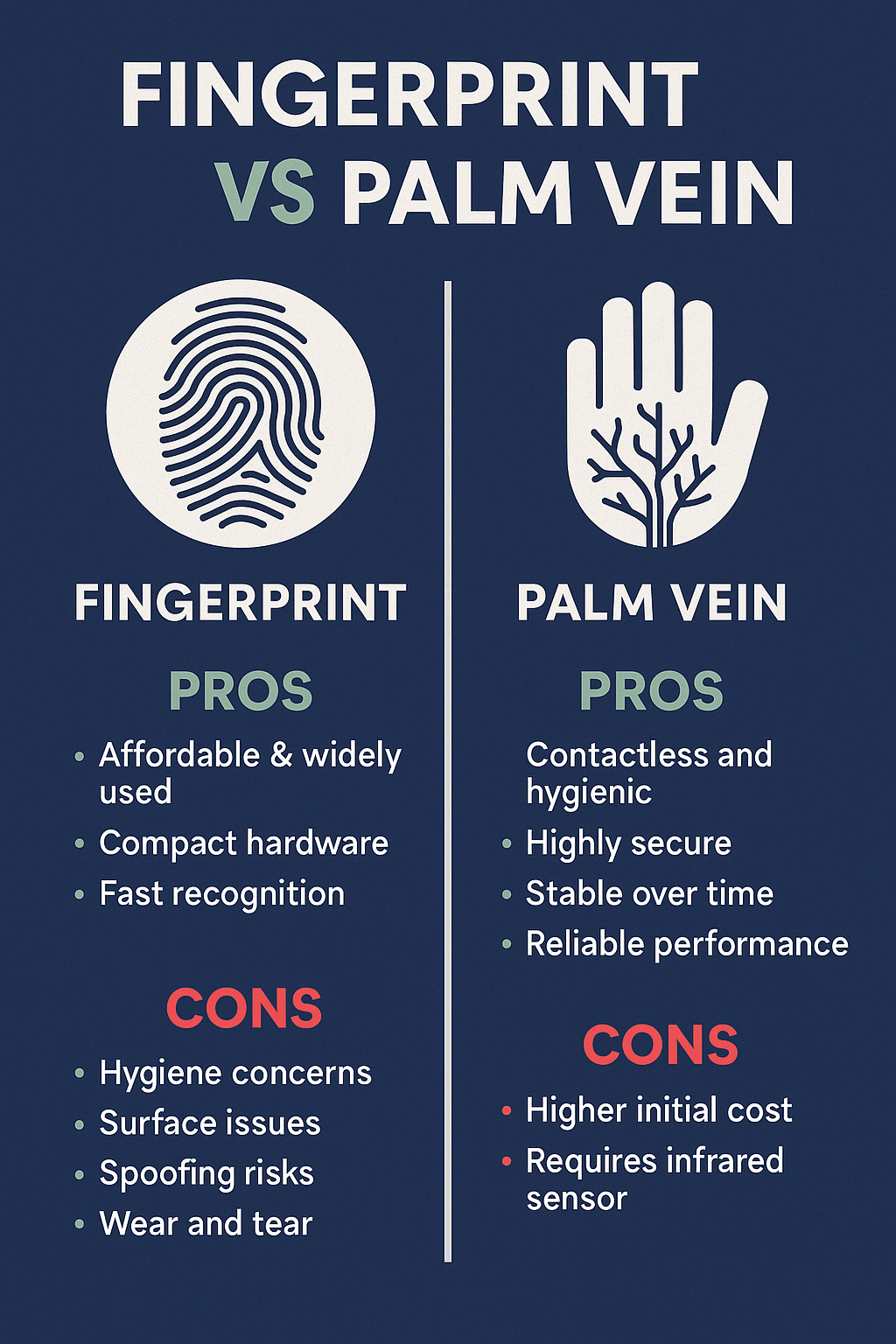
In the world of biometric authentication, two technologies often lead the discussion: Fingerprint Recognition and Palm Vein Recognition. Both have revolutionised how organisations secure access, ...
In an era where business efficiency and payroll accuracy are more crucial than ever, buddy punching emerges as a significant hurdle. This deceptive practice not ...
Managing time effectively is crucial for recruitment agencies to ensure productivity and accurate payroll management. In this article, we will explore the best clocking in ...
How eTimeClocks.uk Supports Every Optima User When managing workforce time and attendance in healthcare, accuracy and efficiency are critical. For RLDatix Optima users, eTimeClocks.uk provides ...